Accounting > STUDY GUIDE > TAX PROJECT(1) WITH 2 EXTRA CREDITS. (All)
TAX PROJECT(1) WITH 2 EXTRA CREDITS.
Document Content and Description Below
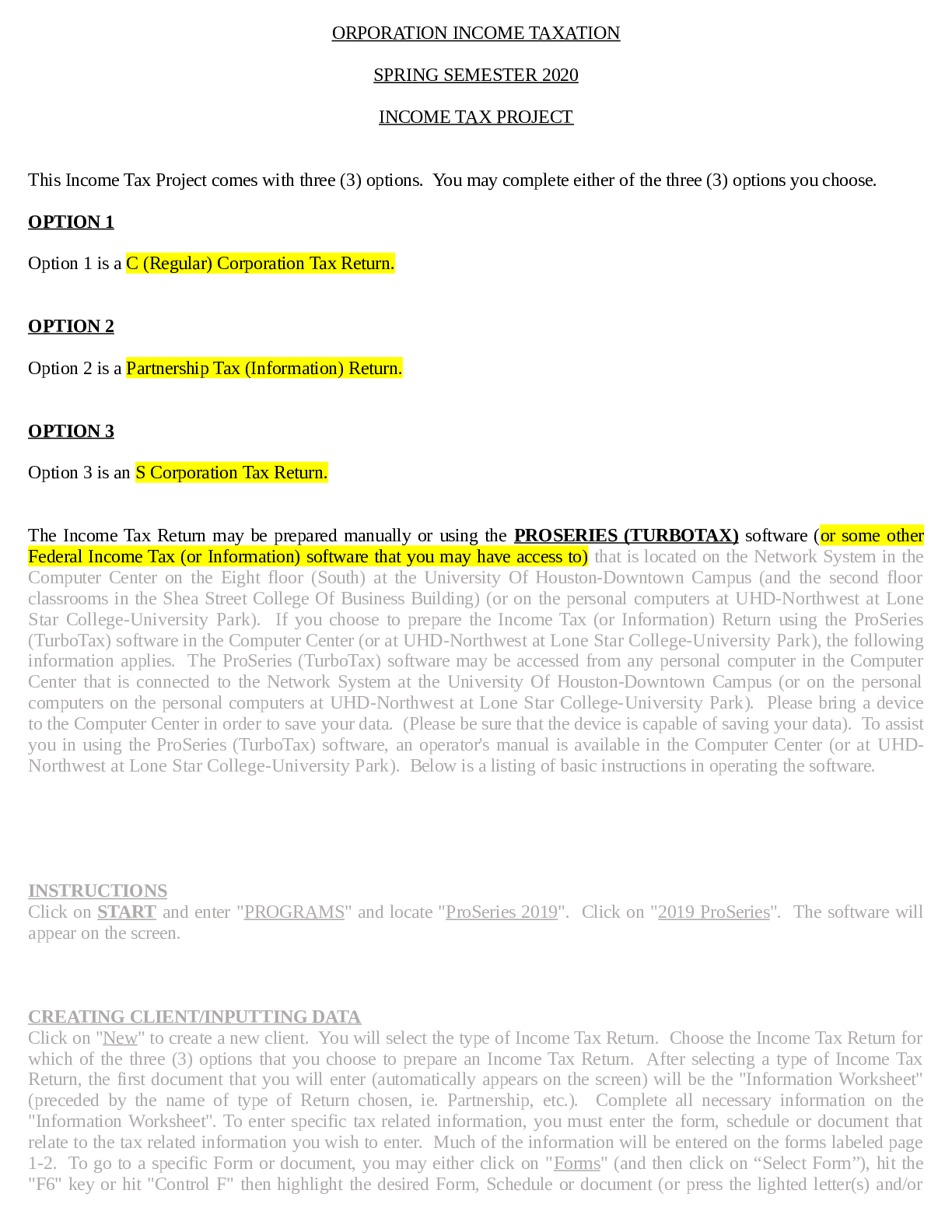
ORPORATION INCOME TAXATION SPRING SEMESTER 2020 INCOME TAX PROJECT This Income Tax Project comes with three (3) options. You may complete either of the three (3) options you choose. OPTION 1 Opti ... on 1 is a C (Regular) Corporation Tax Return. OPTION 2 Option 2 is a Partnership Tax (Information) Return. OPTION 3 Option 3 is an S Corporation Tax Return. The Income Tax Return may be prepared manually or using the PROSERIES (TURBOTAX) software (or some other Federal Income Tax (or Information) software that you may have access to) that is located on the Network System in the Computer Center on the Eight floor (South) at the University Of Houston-Downtown Campus (and the second floor classrooms in the Shea Street College Of Business Building) (or on the personal computers at UHD-Northwest at Lone Star College-University Park). If you choose to prepare the Income Tax (or Information) Return using the ProSeries (TurboTax) software in the Computer Center (or at UHD-Northwest at Lone Star College-University Park), the following information applies. The ProSeries (TurboTax) software may be accessed from any personal computer in the Computer Center that is connected to the Network System at the University Of Houston-Downtown Campus (or on the personal computers on the personal computers at UHD-Northwest at Lone Star College-University Park). Please bring a device to the Computer Center in order to save your data. (Please be sure that the device is capable of saving your data). To assist you in using the ProSeries (TurboTax) software, an operator's manual is available in the Computer Center (or at UHDNorthwest at Lone Star College-University Park). Below is a listing of basic instructions in operating the software. INSTRUCTIONS Click on START and enter "PROGRAMS" and locate "ProSeries 2019". Click on "2019 ProSeries". The software will appear on the screen. CREATING CLIENT/INPUTTING DATA Click on "New" to create a new client. You will select the type of Income Tax Return. Choose the Income Tax Return for which of the three (3) options that you choose to prepare an Income Tax Return. After selecting a type of Income Tax Return, the first document that you will enter (automatically appears on the screen) will be the "Information Worksheet" (preceded by the name of type of Return chosen, ie. Partnership, etc.). Complete all necessary information on the "Information Worksheet". To enter specific tax related information, you must enter the form, schedule or document that relate to the tax related information you wish to enter. Much of the information will be entered on the forms labeled page 1-2. To go to a specific Form or document, you may either click on "Forms" (and then click on “Select Form”), hit the "F6" key or hit "Control F" then highlight the desired Form, Schedule or document (or press the lighted letter(s) and/ornumber(s) of the desired Form, Schedule or document) and press return (enter). WORKSHEETS In many cases, information may (or must) be entered into a worksheet which is automatically transferred to where needed in the respective Income Tax Returns. This is especially true for Form 1065 (Partnership Return) for entering information on partners, etc. Accordingly, pay attention to the many worksheets that are available for the Return you are preparing to see if certain information may (or must) be entered through a worksheet instead of directly in the Forms and/or Schedules of the Income Tax Return itself. DEPRECIATION To enter depreciation information, either click on "Forms" (and then click on “Select Form”), hit the "F6" key or hit "Control F" and enter the "Depr Entry Wks". Enter a description of the asset to be depreciated and press return (enter). Highlight the Form or Schedule the asset relates to (for Partnerships and S Corporations) and press return (enter). Complete the necessary information at the top of the "Asset Entry Worksheet". The computed depreciation will automatically be transferred to the appropriate Form or Schedule that the asset relates. (If the Form or Schedule that the asset relates has not been previously created (for Partnerships and S Corporations), you will be asked to create the Form or Schedule at this time). PRINTING To access the print commands, press "Control P" and click on “Tax Returns” then press return (enter) to print the entire Tax Return. If you desire to print one (1) Form or Schedule at a time, click on the printer on the tool bar with the red arrow, then click on "Choose" and select the desired Form or Schedule to print. DEFAULT SETTINGS DO NOT ALTER ANY OF THE DEFAULT SETTINGS IN THE SOFTWARE. CORPORATION INCOME TAXATION SPRING SEMESTER 2020 INCOME TAX PROJECTOPTION 1 FACTS Valerie Lawson and Clara Norman are the sole equal shareholders in the corporation of Lawson And Norman Enterprises, Inc. The corporation, which is a retail office supplies and stationery store, began its operations on January 2, 1985 (also date of incorporation). For Federal Income Tax purposes, the corporation is a calendar year taxpayer and uses the Accrual Method Of Accounting. Its Employer Identification Number is 76- 1234567, address is 4369 Robbie Lane Houston, Texas 77026-3915, telephone number is (281) 479-8132, fax number is (281) 567-9024 and EMail address is "lawsonandnormanenterprises.com". The business activity code for the corporation is 453210. Valerie Lawson is the president of the corporation and its contact person for Federal Income Tax purposes and Clara Norman is the secretary and treasurer of the corporation. Both are full-time employees of the corporation devoting one hundred percent (100%) of their time to the business and each has an annual salary of $75,000. Valerie Lawson's social security number is 234-56-7890 and her address is 8124 Annette Court Houston, Texas 77031-9475. Clara Norman has social security number of 890-12-3456 and her address is 2716 Nanette Drive Houston, Texas 77061-3459. FINANCIAL INFORMATION During the year of 2019, Lawson And Norman Enterprises, Inc. reported the following Income and Expenses (including necessary accruals) for Financial Accounting purposes: Gross Receipts $1,482,00 [Show More]
Last updated: 3 years ago
Preview 1 out of 11 pages
Buy this document to get the full access instantly
Instant Download Access after purchase
Buy NowInstant download
We Accept:

Reviews( 0 )
$9.00
Can't find what you want? Try our AI powered Search
Document information
Connected school, study & course
About the document
Uploaded On
Jul 22, 2021
Number of pages
11
Written in
All

Additional information
This document has been written for:
Uploaded
Jul 22, 2021
Downloads
0
Views
74