Material
DeVry University, Visiting Professor
Example Material has been used from Math 221 Text
Elementary Statistics
Larson and Farber; Pearson Edition 6e
EXCEL STATISTICAL TOOL SET
Statistical Spreadsheets have b
...
Material
DeVry University, Visiting Professor
Example Material has been used from Math 221 Text
Elementary Statistics
Larson and Farber; Pearson Edition 6e
EXCEL STATISTICAL TOOL SET
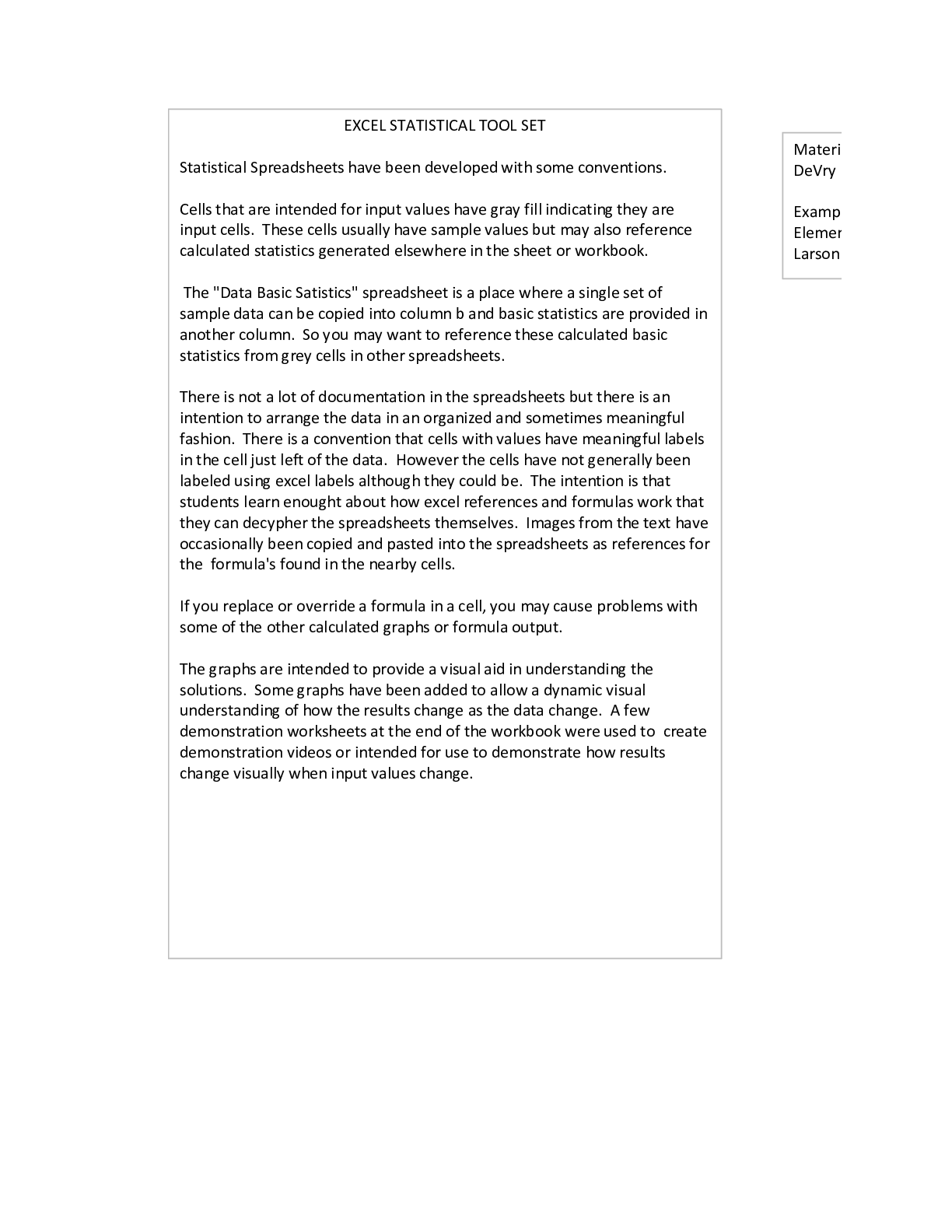
Statistical Spreadsheets have been developed with some conventions.
Cells that are intended for input values have gray fill indicating they are
input cells. These cells usually have sample values but may also reference
calculated statistics generated elsewhere in the sheet or workbook.
The "Data Basic Satistics" spreadsheet is a place where a single set of
sample data can be copied into column b and basic statistics are provided in
another column. So you may want to reference these calculated basic
statistics from grey cells in other spreadsheets.
There is not a lot of documentation in the spreadsheets but there is an
intention to arrange the data in an organized and sometimes meaningful
fashion. There is a convention that cells with values have meaningful labels
in the cell just left of the data. However the cells have not generally been
labeled using excel labels although they could be. The intention is that
students learn enought about how excel references and formulas work that
they can decypher the spreadsheets themselves. Images from the text have
occasionally been copied and pasted into the spreadsheets as references for
the formula's found in the nearby cells.
If you replace or override a formula in a cell, you may cause problems with
some of the other calculated graphs or formula output.
The graphs are intended to provide a visual aid in understanding the
solutions. Some graphs have been added to allow a dynamic visual
understanding of how the results change as the data change. A few
demonstration worksheets at the end of the workbook were used to create
demonstration videos or intended for use to demonstrate how results
change visually when input values change.
Release Version Revisions
3 1
Make Changes for March 2018 Course Sessions; Eliminated
most spreadsheets that are not required in course
2 Modify shading for cells in regression spreadsheets
3 Change inverse probabilty notation to be more correct.
4
Remove t distribution from confidence interval spreadsheet and
test statistic spreadsheet
5 Minor heading updates
6
Added critical points for one and two tail boundaries for
specified confidence levels on graphic for' Sampling Normal
Distribution' tab. Added reference cells for input criteria
specifications
7
Added critical points / critical region illustration to the 'Sampling
Normal Distribution' tab for the assumed mean
8
Added critical points / critical region illustration to the 'Sampling
Normal Distribution' tab for the sampling distribution.
9 Added critical points to the "Null Hypothesis Mean Normal" tab
Material in this Workbook has been developed by George Thompson,
DeVry University, Visiting Professor
Example Material has been used from Math 221 Text
Elementary Statistics - Picturing the World
Larson and Farber; Pearson Edition 6e
EXCEL STATISTICAL TOOL SET
Statistical Spreadsheets have been developed with some conventions.
Cells that are intended for input values have gray fill indicating they are
input cells. These cells usually have sample values but may also reference
calculated statistics generated elsewhere in the sheet or workbook.
The "Data Basic Satistics" spreadsheet is a place where a single set of
sample data can be copied into column b and basic statistics are provided in
another column. So you may want to reference these calculated basic
statistics from grey cells in other spreadsheets.
There is not a lot of documentation in the spreadsheets but there is an
intention to arrange the data in an organized and sometimes meaningful
fashion. There is a convention that cells with values have meaningful labels
in the cell just left of the data. However the cells have not generally been
labeled using excel labels although they could be. The intention is that
students learn enought about how excel references and formulas work that
they can decypher the spreadsheets themselves. Images from the text have
occasionally been copied and pasted into the spreadsheets as references for
the formula's found in the nearby cells.
If you replace or override a formula in a cell, you may cause problems with
some of the other calculated graphs or formula output.
The graphs are intended to provide a visual aid in understanding the
solutions. Some graphs have been added to allow a dynamic visual
understanding of how the results change as the data change. A few
demonstration worksheets at the end of the workbook were used to create
demonstration videos or intended for use to demonstrate how results
change visually when input values change.
[Show More]