Advanced SQL
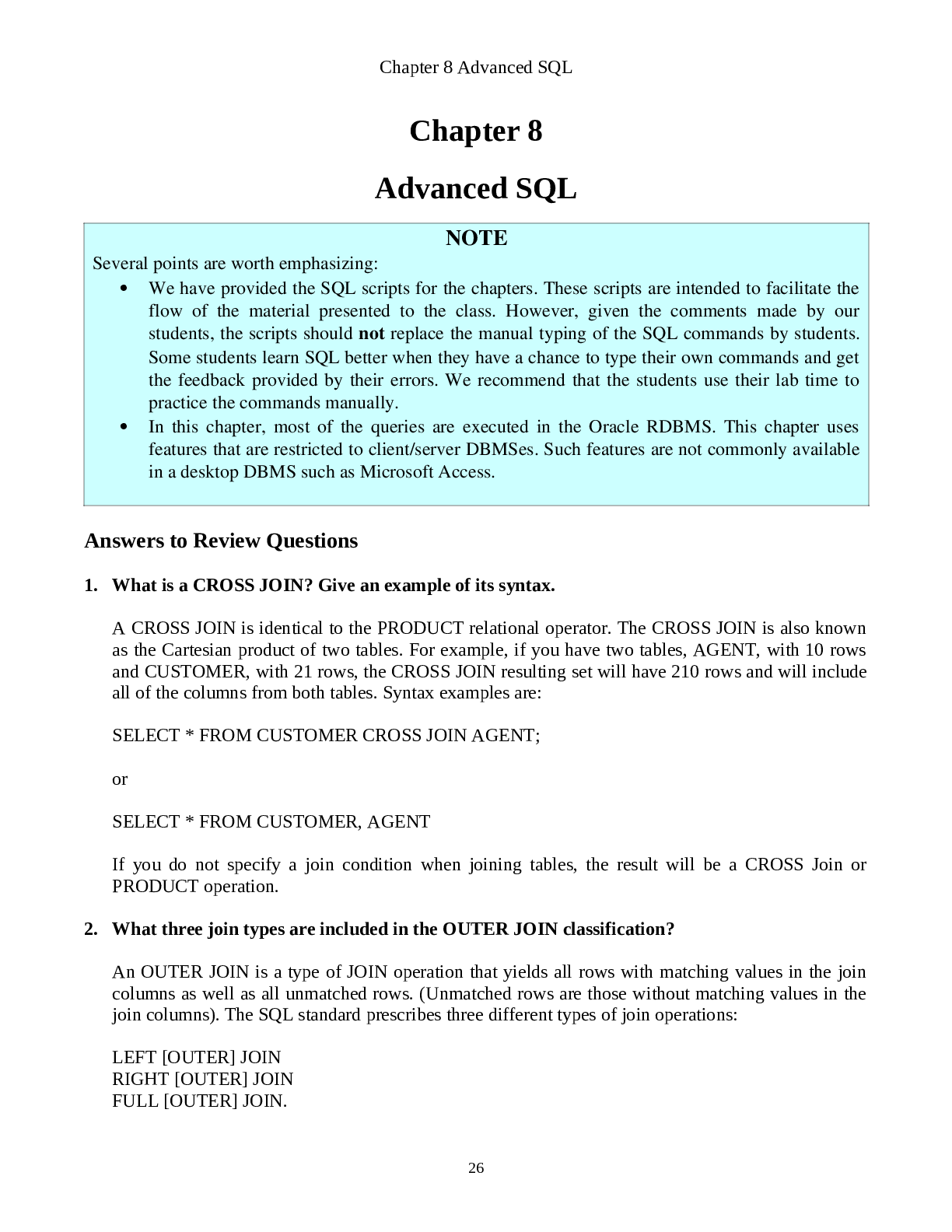
NOTE
Several points are worth emphasizing:
We have provided the SQL scripts for the chapters. These scripts are intended to facilitate the
flow of the material presented to the class. However, given th
...
Advanced SQL
NOTE
Several points are worth emphasizing:
We have provided the SQL scripts for the chapters. These scripts are intended to facilitate the
flow of the material presented to the class. However, given the comments made by our
students, the scripts should not replace the manual typing of the SQL commands by students.
Some students learn SQL better when they have a chance to type their own commands and get
the feedback provided by their errors. We recommend that the students use their lab time to
practice the commands manually.
In this chapter, most of the queries are executed in the Oracle RDBMS. This chapter uses
features that are restricted to client/server DBMSes. Such features are not commonly available
in a desktop DBMS such as Microsoft Access.
Answers to Review Questions
1. What is a CROSS JOIN? Give an example of its syntax.
A CROSS JOIN is identical to the PRODUCT relational operator. The CROSS JOIN is also known
as the Cartesian product of two tables. For example, if you have two tables, AGENT, with 10 rows
and CUSTOMER, with 21 rows, the CROSS JOIN resulting set will have 210 rows and will include
all of the columns from both tables. Syntax examples are:
SELECT * FROM CUSTOMER CROSS JOIN AGENT;
or
SELECT * FROM CUSTOMER, AGENT
If you do not specify a join condition when joining tables, the result will be a CROSS Join or
PRODUCT operation.
2. What three join types are included in the OUTER JOIN classification?
An OUTER JOIN is a type of JOIN operation that yields all rows with matching values in the join
columns as well as all unmatched rows. (Unmatched rows are those without matching values in the
join columns). The SQL standard prescribes three different types of join operations:
LEFT [OUTER] JOIN
RIGHT [OUTER] JOIN
FULL [OUTER] JOIN.
26Chapter 8 Advanced SQL
The LEFT [OUTER] JOIN will yield all rows with matching values in the join columns, plus all of
the unmatched rows from the left table. (The left table is the first table named in the FROM clause.)
The RIGHT [OUTER] JOIN will yield all rows with matching values in the join columns, plus all of
the unmatched rows from the right table. (The right table is the second table named in the FROM
clause.)
The FULL [OUTER] JOIN will yield all rows with matching values in the join columns, plus all the
unmatched rows from both tables named in the FROM clause.
3. Using tables named T1 and T2, write a query example for each of the three join types you
described in Question 10. Assume that T1 and T2 share a common column named C1.
LEFT OUTER JOIN example:
SELECT * FROM T1 LEFT OUTER JOIN T2 ON T1.C1 = T2.C1;
RIGHT OUTER JOIN example:
SELECT * FROM T1 RIGHT OUTER JOIN T2 ON T1.C1 = T2.C1;
FULL OUTER JOIN example:
SELECT * FROM T1 FULL OUTER JOIN T2 ON T1.C1 = T2.C1;
4. What is a subquery, and what are its basic characteristics?
A subquery is a query (expressed as a SELECT statement) that is located inside another query. The
first SQL statement is known as the outer query, the second is known as the inner query or subquery.
The inner query or subquery is normally executed first. The output of the inner query is used as the
input for the outer query. A subquery is normally expressed inside parenthesis and can return zero,
one, or more rows and each row can have one or more columns.
A subquery can appear in many places in a SQL statement:
as part of a FROM clause,
to the right of a WHERE conditional expression,
to the right of the IN clause,
in an EXISTS operator,
to the right of a HAVING clause conditional operator,
in the attribute list of a SELECT clause.
Examples of subqueries are:
INSERT INTO PRODUCT
SELECT * FROM P;
[Show More]